
Security

Your records, and who gets to see them.

SeamusHQ is built for companies with prices, staff records and tenders they'd rather keep to themselves.

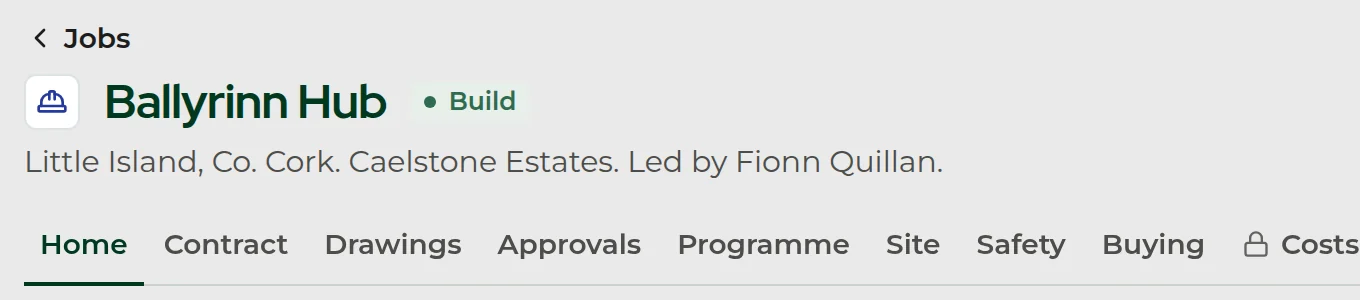
The Ballyrinn Hub job header: Little Island, Co. Cork, for Caelstone Estates and led by Fionn Quillan, with its tabs and a lock on Costs.
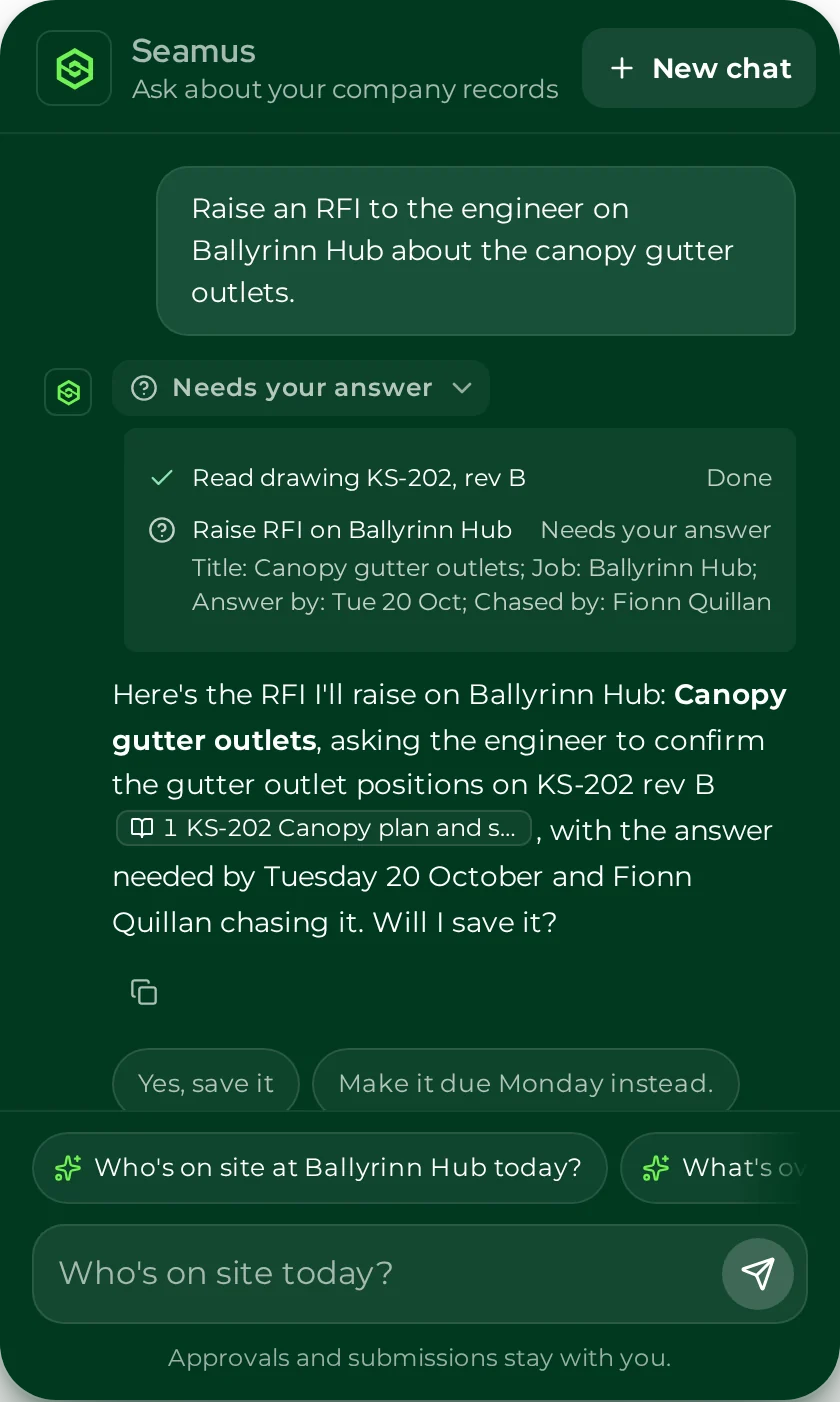
Seamus setting out an RFI before he saves it: the title, the job, the answer date and who chases it, then asking once whether to save it.

Access is part of the product, not an afterthought.

Who can open what is set inside SeamusHQ, by your own owners and admins.

Locked folders open only for the people you name.

Owners and admins can lock a top-level folder and give named people, or a group, access to it: to read the files, or to read them and add new ones.

Groups are kept by owners and admins too, so whoever looks after accounts or HR can be given what they need in one go.

Seamus only sees what you can see.

Seamus works through the signed-in person's account and checks their access before he reads a document, so he can't tell anyone what they couldn't open themselves.

Anything he'd send outside the company is shown to you first, with who it's going to, and nothing goes until you say yes.

The Ballyrinn Hub job's tabs, with a lock on Costs.

The everyday locks.

  • Two-step sign-in on every account

    Everyone confirms their sign-in with a code by email or from an authenticator app. It's on for every account from the first day, not a setting someone forgets.

  • Access to suit the job someone does

    Each person is a member, an admin or an owner, and an account can be kept to site sign-in only, so someone who just signs in on site sees nothing else.

  • Costs stay with the people who should see them

    A job's costs carry their own access check, shown by the lock on the Costs tab. People who can't see them don't get the figures from Seamus either.

  • Uploads checked before they're filed

    Files added to Documents are checked for what they really are, and a file can't be approved until it passes.

Got questions from your IT person?

Bring them to the demo and we'll answer them there.